Your tools define your capacity
As a virtual CISO, you're selling expertise. But your capacity — how many clients you can serve, how fast you deliver, how professional your output looks — is defined by your tools.
The vCISO running compliance programs on spreadsheets and shared drives caps out at 3-4 clients before quality drops. The vCISO with the right tech stack serves 10+ clients while delivering better results and working fewer hours.
This guide breaks down the essential tool categories, what to look for in each, and how they fit together into a cohesive stack.
The core stack: 6 categories that matter
1. GRC platform (The operating system)
This is the center of your practice. Everything else feeds into or out of your GRC platform. It's where you manage frameworks, track risks, maintain policies, collect evidence, and report to clients.
What to look for:
- Multi-client native — switch between client workspaces without logging out. If a tool was built for single-tenant use and bolted on multi-client later, you'll feel the friction.
- Cross-framework mapping — implement a control once, satisfy SOC 2, ISO 27001, and HIPAA simultaneously. This is the single biggest efficiency multiplier.
- AI-assisted workflows — policy generation, risk scoring, and gap analysis that accelerates your delivery. AI doesn't replace your judgment; it handles the first draft so you can focus on refinement.
- Evidence vault with auto-collection — integrations that pull evidence from your clients' tools automatically. Manual evidence collection is the number one time sink in compliance delivery.
- Professional reporting — board-ready exports that make your clients look good. Reports are your most visible deliverable — they need to look like they came from a premium consulting firm.
Red flags to avoid:
- Per-framework pricing (costs spiral with multi-framework clients)
- No API or integration support (you'll be stuck with manual data entry)
- Single-tenant architecture with "workspaces" (data isolation matters when you manage multiple clients)
2. Vulnerability management
You need visibility into your clients' vulnerability posture — not to manage the scans yourself, but to pull findings into your risk register and compliance evidence automatically.
Leading tools:
- Tenable.io — the industry standard for enterprise vulnerability management. Strong API, comprehensive coverage, integrates with everything.
- Qualys VMDR — cloud-native vulnerability management with asset discovery built in. Good for clients with hybrid environments.
- Rapid7 InsightVM — strong remediation workflow integration, especially if clients use InsightConnect for automation.
How it fits: Vulnerability scan results feed into your GRC platform as evidence (proving you're scanning) and as risk inputs (new critical vulnerabilities become risks in your register). The integration should be automatic — you shouldn't be exporting CSV files.
3. Identity and access management
Access management is the most audited domain in compliance. Every framework requires evidence that access is controlled, reviewed, and appropriate. Your clients' IAM platform is your richest evidence source.
Leading tools:
- Okta — the default for modern SaaS companies. Excellent API for pulling access reviews, MFA status, and provisioning logs.
- Microsoft Entra ID — dominant in enterprise and hybrid environments. Deep integration with Microsoft 365, Azure, and on-prem Active Directory.
How it fits: Access reviews, MFA enrollment reports, and provisioning logs flow into your evidence vault. User lifecycle events (onboarding, offboarding, role changes) feed change management evidence. This single integration can satisfy 15-20% of SOC 2 evidence requirements.
4. SIEM / security monitoring
You need to demonstrate that your clients have detection and monitoring capabilities. Even if you're not running the SOC, you need visibility into what's being monitored and how incidents are handled.
Leading tools:
- Microsoft Sentinel — natural choice for Microsoft-heavy environments. Cloud-native, pay-per-use, deep integration with Defender suite.
- Splunk — the enterprise standard. Powerful but expensive. Best for larger clients with dedicated security operations.
- Elastic Security — open-source foundation with commercial support. Good for cost-conscious clients who want flexibility.
How it fits: Incident logs and detection metrics flow into your GRC platform as evidence for Detect and Respond controls. Incident data feeds your risk register — if a client is seeing increased phishing attempts, that's a risk input.
5. Security awareness training
Every compliance framework requires security awareness training. You need a platform that delivers training, tracks completion, and provides evidence of participation.
Leading tools:
- KnowBe4 — the market leader. Comprehensive training library, phishing simulations, and detailed reporting. The completion records export directly as compliance evidence.
- Proofpoint Security Awareness — strong phishing simulation capabilities and integration with Proofpoint's email security products.
How it fits: Training completion records map to SOC 2 CC1.4, ISO 27001 A.7.2.2, HIPAA 164.308(a)(5), and NIST CSF PR.AT. Phishing simulation results feed your risk assessment. Both should flow into your evidence vault automatically.
6. Project management and communication
You need a way to manage client engagements, track remediation tasks, and communicate with client stakeholders. This isn't glamorous, but it's essential for scaling beyond a handful of clients.
Leading tools:
- Jira — the standard for technical project management. Create remediation tasks, track progress, and generate evidence of change management.
- Linear — modern alternative to Jira. Faster, cleaner UX. Popular with startups and small teams.
- ServiceNow — enterprise-grade ITSM. If your clients already use it, leverage their instance instead of introducing another tool.
How it fits: Remediation tasks generated from compliance gaps and risk assessments should flow into your project management tool. Completed tasks flow back as evidence of remediation.
How the stack fits together
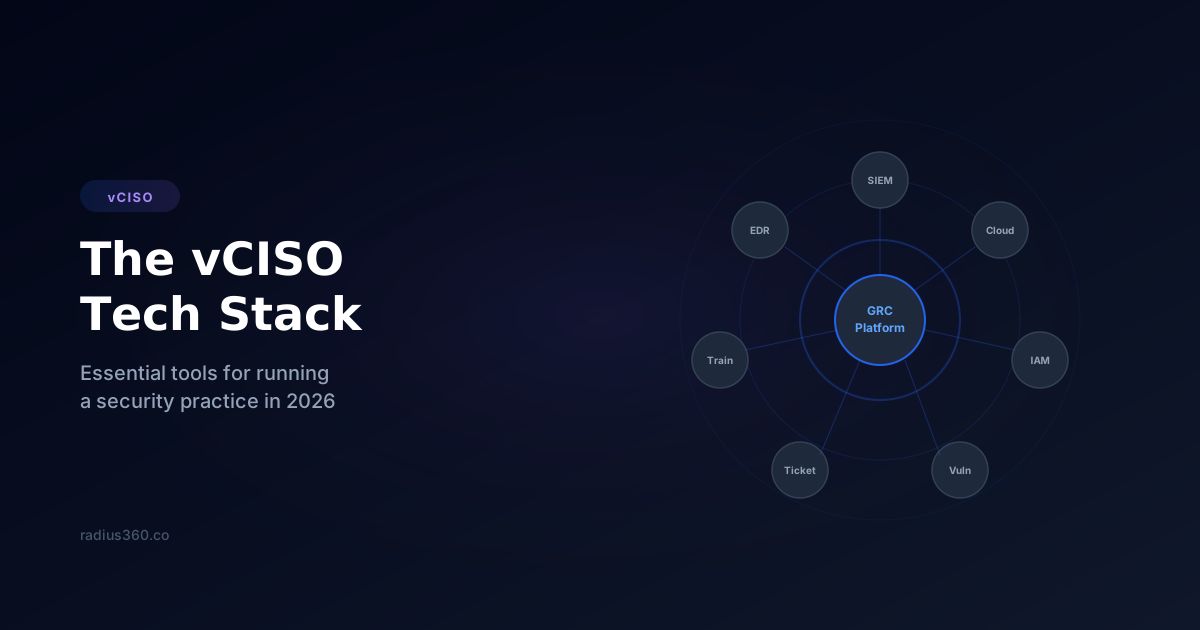
The key insight is that these tools shouldn't be islands. They should form a connected ecosystem with your GRC platform at the center:
Inbound flows (tools → GRC platform):
- Vulnerability scan results → Risk register + evidence
- Access review exports → Evidence vault + compliance status
- SIEM incident logs → Incident management + risk inputs
- Training completions → Evidence vault + compliance status
- Ticket resolution → Remediation tracking + evidence
Outbound flows (GRC platform → tools):
- Compliance gaps → Remediation tickets in Jira/Linear
- Risk assessments → Executive reports to clients
- Framework status → Board presentations and dashboards
When these flows are automated, you spend your time on strategy, analysis, and advisory work — the things clients actually pay premium rates for — instead of data entry and evidence formatting.
Building vs. buying: the economics
A common mistake is assembling a stack of free or cheap tools to avoid platform costs. Here's the math:
DIY approach:
- Google Sheets for risk registers: $0
- Shared Drive for evidence: $0
- Manual evidence collection: 10 hours/client/month
- At $200/hour opportunity cost: $2,000/client/month in lost billable time
Platform approach:
- GRC platform: $149-449/month
- Automated evidence collection: 2 hours/client/month saved
- At $200/hour: $400/client/month in reclaimed billable time
The platform pays for itself with a single client. By the third client, you're saving $1,000+/month in time that you can bill or use to take on additional clients.
The bottom line
Your tech stack isn't a cost center — it's a force multiplier. The right tools turn a solo practitioner into a scalable practice. The wrong tools (or no tools) cap your growth and burn you out.
Start with the GRC platform — it's the foundation everything else plugs into. Then add integrations as your client base grows. Every integration you add reduces manual work and increases your capacity to serve more clients without sacrificing quality.
The vCISOs who build sustainable, profitable practices in 2026 won't be the ones with the most certifications. They'll be the ones with the best systems.
See how Radius360 helps
Put these ideas into practice with the right tooling.
See Radius360 for vCISOsThe vCISO Playbook
Lesson 4 of 10